How to download files from our server
- Home
- Help
Download errors
Help files Telegram chat
We do NOT use trackers on our Website! - please check HTML code to verify that.
If you using a VPN or any other third party blockers/IP Address flipping services - it may delay download from our server!
Please disable third party blockers to ensure fast order processing! - it is not required but highly advisable as we only allow one IP Address in 24 hours to download your order.
We will do everything in our power to ensure that purchased files are easily downloaded with minimal effort!
However, it is recommended that you create a local backup copy of the downloaded file.
It is not advisable to rely solely on cloud storage services as they tend to fail more often than not.
Once the file is downloaded, make sure to save a copy of it to a USB flash drive.
If you are unsure about the file download process from the internet, seek help before placing your order.
Adobe Acrobat Reader 9.0 or higher is required to open PDF files.
Please note that the purchased manual will only be available for download for 7 days after the payment date.
After this period, re-download will only be permitted in case of emergencies, such as a hard drive crash or a stolen or dead phone.
If you plan downloading your manual at later time - please place your order according to your schedule!
How our order process works
Before ordering:
Before placing your order please make sure:
- email address you will use with Stripe.com Payment or on PayPal is correct and current - we will NOT be able to change your email address for you.
- download links will be sent to your email address from: [email protected] and [email protected]
- if you pay by PayPal eCheck - manual will become available AFTER your payment is cleared in about 3-5 days!
If you double-order:
After ordering:
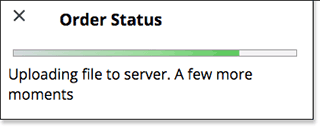
Please stay on a website after payment. Our "Order Tracking Widget" will show the status of your order on any page and once ready - Download link will be posted!
If you did not receive a download link within 45 minutes after payment cleared - please let us know using Contact Form
On average download link sent-out within 5 minutes but if email queue is long - it may take up-to 30 minutes.
Download link for your file will be sent to the email address you have provided on PayPal pages or Stripe.com payment besides being posted in "Order Tracking Widget".
Download link will be emailed to your email address AFTER your payment is CLEARED! - meaning if you paid with PayPal eCheck - it may take 3-5 business days to clear.
Please READ email letter sent to you!
- AND AGAIN: Read the letter Completely!
We will NOT be able to re-route our email notes to your another email address!
Use download link to access purchased file on our server.
Downloading your Manual file:
Please note the following:
- Only one IP at the time allowed to download the file.
- If file accessed from multiple IP addresses - download link will become frozen for 24 hours
ONCE DOWNLOADED - SAVE A FILE COPY TO A FLASH DRIVE OR EXTERNAL HARD DRIVE!
MAKE A BACK-UP COPY!
In case of a Hard Drive crash - you will have a reserve copy of your manual!
Downloading files to your Mobile device - Android, iPhone, iPad etc.
We have many requests on re-download because people can not transfer manual files from their mobile devices to other devices or computers.
Please download your manual file directly to your home/office computer and distribute it later-on to any of your devices.
VERY IMPORTANT - PLEASE PAY ATTENTION!
- If you do not know how to transfer files from your mobile device - download it to your computer first!
Accessing Download VIA Wireless Internet connection
Some wireless networks (including, but no limiting to Verizon and AT&T) are not capable of sustaining constant connection during download on big files. If you can not download your manual using wireless connection - please try using "wired" Internet instead.
Opening PDF and ZIP files
 | Download Adobe Acrobat reader | |
 | How to UnZIP files on Windows (video) |
What to do if download link to your file has expired?
Please visit the same download link and enter your email address in appropriate field and click on "Loook-up my order" -- your file will be re-uploaded for you.
Please give it about 5 minutes and try download link again.
My download was blocked and I can not get my Manual. What do I do?
In rare cases when we email your download link, ISP or Email processing server spam robot checks/follows every link included in email effectively blocking download link for you.
Please contact us ASAP and we will make sure download link will work for you.
What to do if downloaded file would not open in Adobe Acrobat?
File was not successfully downloaded and needs to be downloaded again - please use your download link again and re-download your file.
Your file can be downloaded during 7 days after the purchase date.
What to do if downloaded file is damaged?
File is not damaged, it was NOT successfully downloaded and needs to be downloaded again - please use your download link again and re-download your file.
If download has expired - please read above.
Your file can be downloaded during 7 days after the purchase date.
What do I do if I have never received my download link?
Make sure you're accessing email address you have entered on Stripe.com payment form or PayPal payment page and/or your primary PayPal email address!
Please check your SPAM filters and make sure email letters from us cleared for delivery.
According to your instructions I need to "Right Click" on a link - my Mac has only one button. What do I do?
Yes, your Mac has a "Right Click" - hold your "Control" key and click on the link.
I am asked to enter Password in order to save file to my hard drive. What is it?
You did not download your manual in the first place, manual was opened in your browser and can not be saved to your hard drive.
"Right Click" on download link and choose "Save As" (or similar) to save manual on your computer.
I downloaded a ZIP file with my manual. Now what?
Please install Un-ZIP program/utility on your computer (if you don't have it) and use it to extract PDF file.
Why do you offer a ZIP version of the same file?
This is done to help people who don't know how to setup MS Edge/IE to handle PDF downloads properly.